5 3D Abstract Backgrounds: Elevate Your Illustrator Projects
More Than Just a Backdrop
We’ve all been there. You’re deep into a design project—a social media post, a website hero section, a presentation slide—and it feels flat. The text is fine, the layout is clean, but it lacks that certain oomph. It doesn’t command attention or feel premium. This is where the power of a well-chosen background comes into play, and it’s exactly the problem this suite of 3D Abstract Backgrounds was designed to solve. Think of them not as static images, but as dynamic stages for your content. They provide depth, texture, and a modern, sophisticated vibe that instantly makes your work look more polished and intentional. The core appeal here is the blend of trendy 3D aesthetics with a timeless abstract quality, meaning your designs will look current without quickly becoming dated.
Understanding the Visual Language
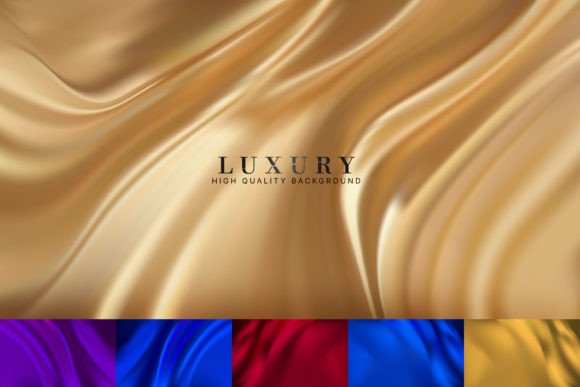
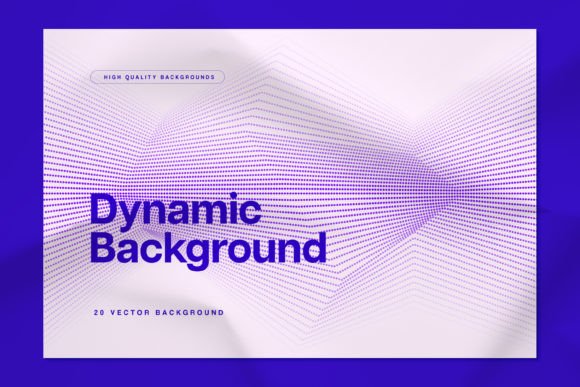
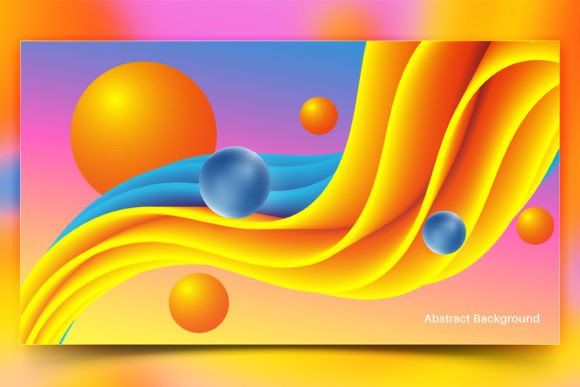
So, what are we actually looking at? This collection features five distinct 3D abstract motifs. Each one is crafted with soft gradients, geometric shapes, and subtle lighting effects that create a convincing sense of dimension and space. They aren’t chaotic or overly busy; instead, they offer a balanced, artistic composition that can support a wide range of content. The personality is decidedly modern and professional, with a touch of creative flair. It’s the kind of visual language you see in successful tech branding, high-end editorial design, and cutting-edge web design. The overall effect is one of innovation and quality, which can subconsciously influence how your audience perceives your brand or message.
Where These Backgrounds Truly Shine
The real value of these 3D Abstract Backgrounds lies in their remarkable versatility. They aren’t a one-trick pony meant for a single type of project. As a designer or creative professional, you can leverage them across a stunning variety of applications.
- Digital & Web Design: They are perfect for creating standout hero sections on websites, engaging backgrounds for landing pages, or visually rich headers for blogs. For social media graphics, they provide an instant upgrade, making your Instagram posts, Facebook covers, or YouTube thumbnails pop in a crowded feed.
- Branding & Marketing: Incorporate them into your brand identity for presentation decks, email newsletter banners, or digital ads. They add a layer of sophistication to marketing materials that generic stock photos simply can’t match. Imagine using one as the backdrop for a product launch announcement—it immediately signals quality and attention to detail.
- Publishing & Editorial: For bloggers, publishers, and content creators, these backgrounds can transform a standard article into a visual experience. Use them for featured images, chapter openers in digital magazines, or as subtle textures behind pull quotes in editorial design.
- Personal & Commercial Projects: Beyond professional use, they’re fantastic for personal projects like invitations, portfolio showcases, or even unique desktop wallpapers. For small business owners, they offer a cost-effective way to access premium design assets that elevate packaging design mockups or product catalog backgrounds.
The key is to see them as a foundational element. They set the mood and establish a high-quality baseline, allowing your typography, logos, and other content to shine with greater clarity.
Practical Guidance for Seamless Integration
Knowing where to use them is half the battle. The other half is understanding how to integrate them effectively. Here’s some practical advice from one creative to another.
Choosing and Testing for Fit
First, don’t just pick the prettiest one. Evaluate your project’s needs. Does your brand have a cool, corporate feel? A background with blue and purple tones might work best. Is it a warm, creative venture? Look for ones with peach or gold hues. The adaptability of these files is a major strength. Because they come in Ai and Eps formats, you have full control. You can easily tweak colors to match your brand’s palette, adjust the scale of elements, or even isolate specific shapes to use as supporting design elements elsewhere in your project.
Typography and Visual Hierarchy
This is crucial. A complex 3D background demands careful typography choices. Your text needs to remain the hero. This is where a strong sans serif font or a clean serif font often works best, as it provides a clear contrast to the organic, flowing shapes in the background. Avoid overly ornate script fonts or handwritten fonts for main body text, as they can get lost. Always test your font pairing directly on the background. Place your headline and body copy on top and step back. Is the hierarchy clear? Is the text instantly readable? The goal is a harmonious balance where the background enhances the message, not competes with it.
Leveraging the Included Files
Your download isn’t just a handful of images. It includes Ai, Eps, and Jpeg files. The vector formats (Ai, Eps) are your power tools. Use them in Adobe Illustrator to deconstruct, recolor, and customize every aspect. The Jpegs are great for quick use in software that doesn’t handle vectors. The included guide is there to help you get started, and as the creator, I’m available for questions. Remember, for commercial projects, always review the licensing to ensure it covers your intended use, giving you peace of mind.
In essence, these 5 3D Abstract Backgrounds for Illustrator are more than just aesthetic fillers. They are strategic design assets that can help you build a stronger visual hierarchy, convey a more professional